os-coursework
M# Week 3 – Remote Access & System Hardening
1. Objective
The goal for this week was to configure secure remote access to the server using SSH and to implement a firewall (UFW) to protect the system from unauthorized network traffic.
2. Remote Access Configuration (SSH)
I installed and configured the OpenSSH server to allow management from a remote Windows terminal.
- Installation:
sudo apt install openssh-server -y - Port Forwarding: Since the VM is on a NAT network, I mapped host port
2222to guest port22.
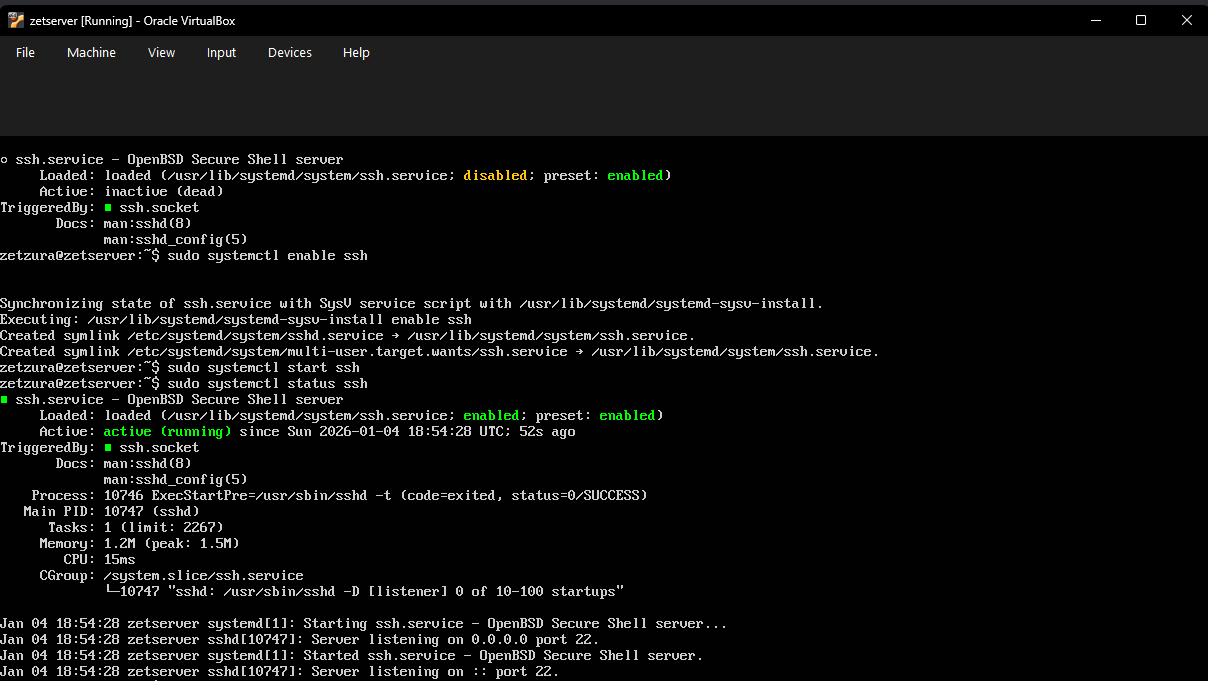 Above: Verifying that the SSH service is active and running.
3. Remote Connection Test
I verified the connection using Windows PowerShell to ensure the port forwarding and credentials were correct.
- Command:
ssh zetzura@127.0.0.1 -p 2222
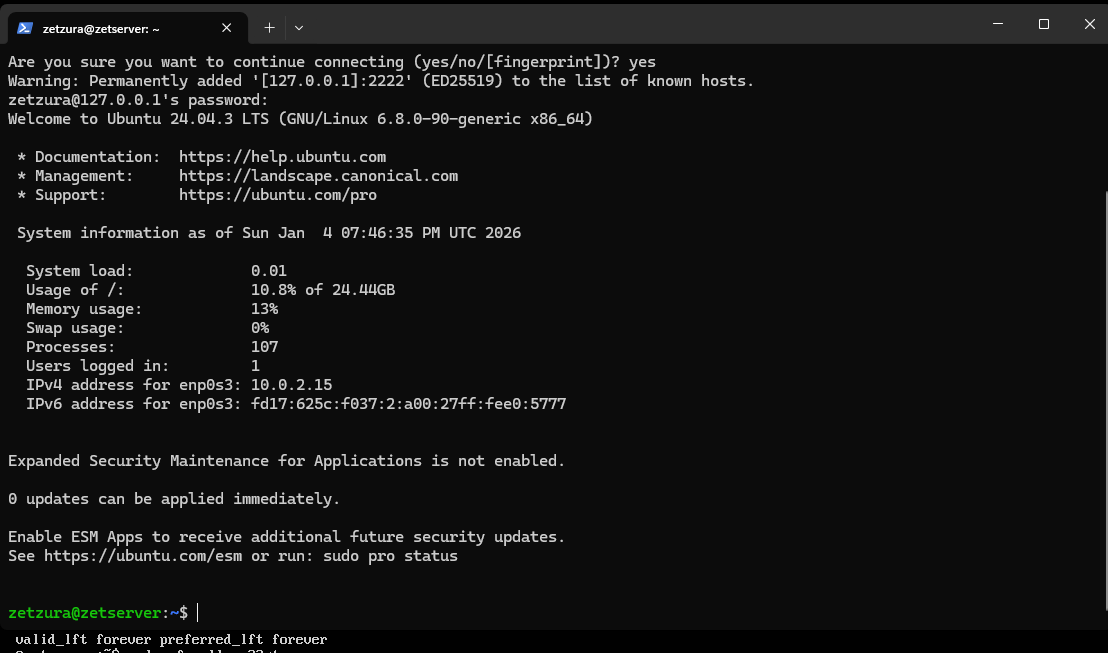 Above: Successful remote login to the Ubuntu server from the host machine.
4. Firewall Hardening (UFW)
To secure the server, I enabled the Uncomplicated Firewall (UFW) and specifically allowed only SSH traffic.
- Allow SSH:
sudo ufw allow ssh - Enable Firewall:
sudo ufw enable - Status Check:
sudo ufw status verbose
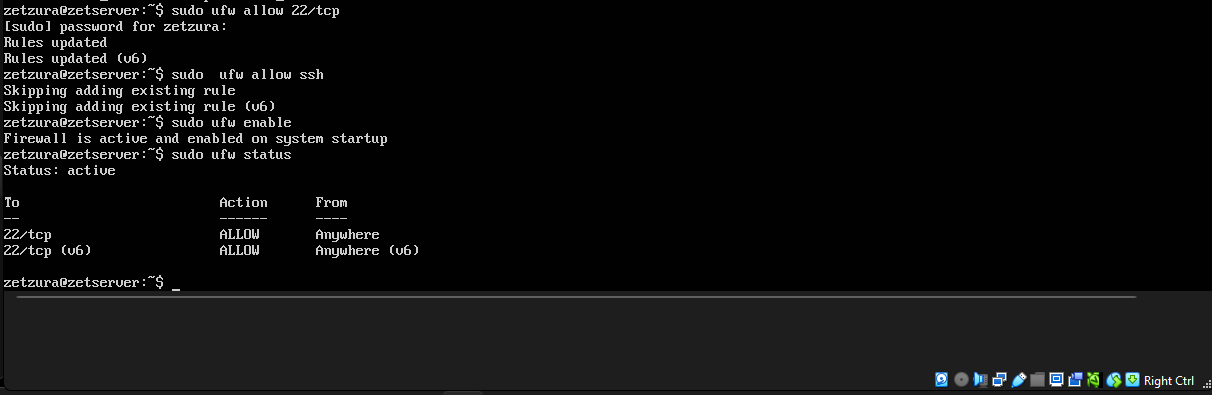 Above: Screenshot showing the firewall is active and only allowing port 22/tcp.